Drover for Mac
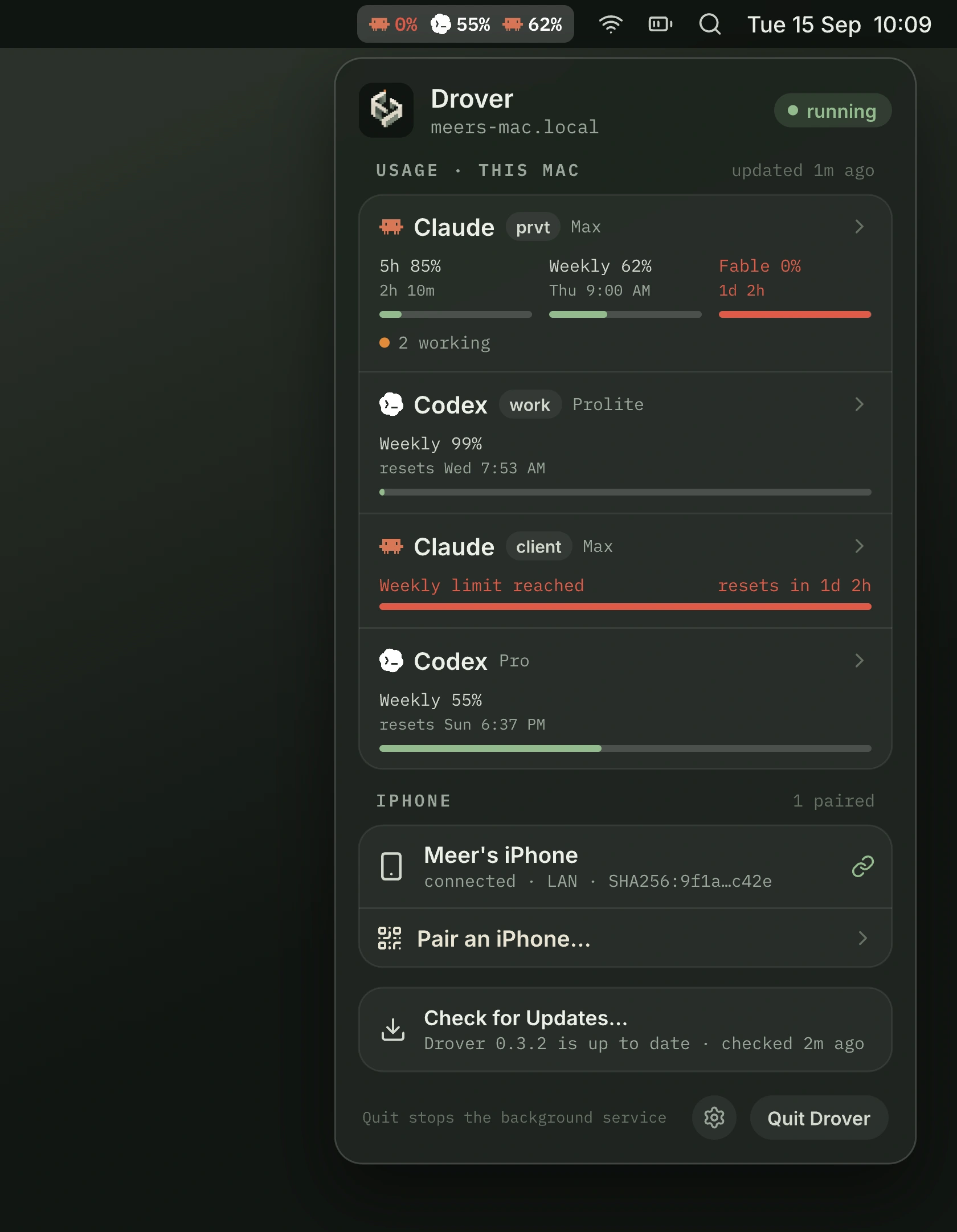
A menu bar app with droverd bundled. Signed and notarized, and it updates itself with one click from the menu.
Requires a Mac with Apple silicon and macOS 15 or later.
Get Drover for MacRun any coding agent Herdr can start. Approve Claude Code, Codex, and OpenCode; chat with ten more — all from your iPhone.
Claude's app and Codex's mobile client each see only their own engine. Drover sits on your own Herdr server, so you can run any engine Herdr can start, with approvals for Claude Code, Codex, and OpenCode, and Chat with ten more.
A terminal app over SSH has no idea when an agent actually needs you. Drover reads the hook events of every engine that reports them, so a permission request or a question surfaces as itself, not a scraped string.
A native iPhone app: a real libghostty terminal, and notifications and a Live Activity on your Lock Screen with Drover Pro.
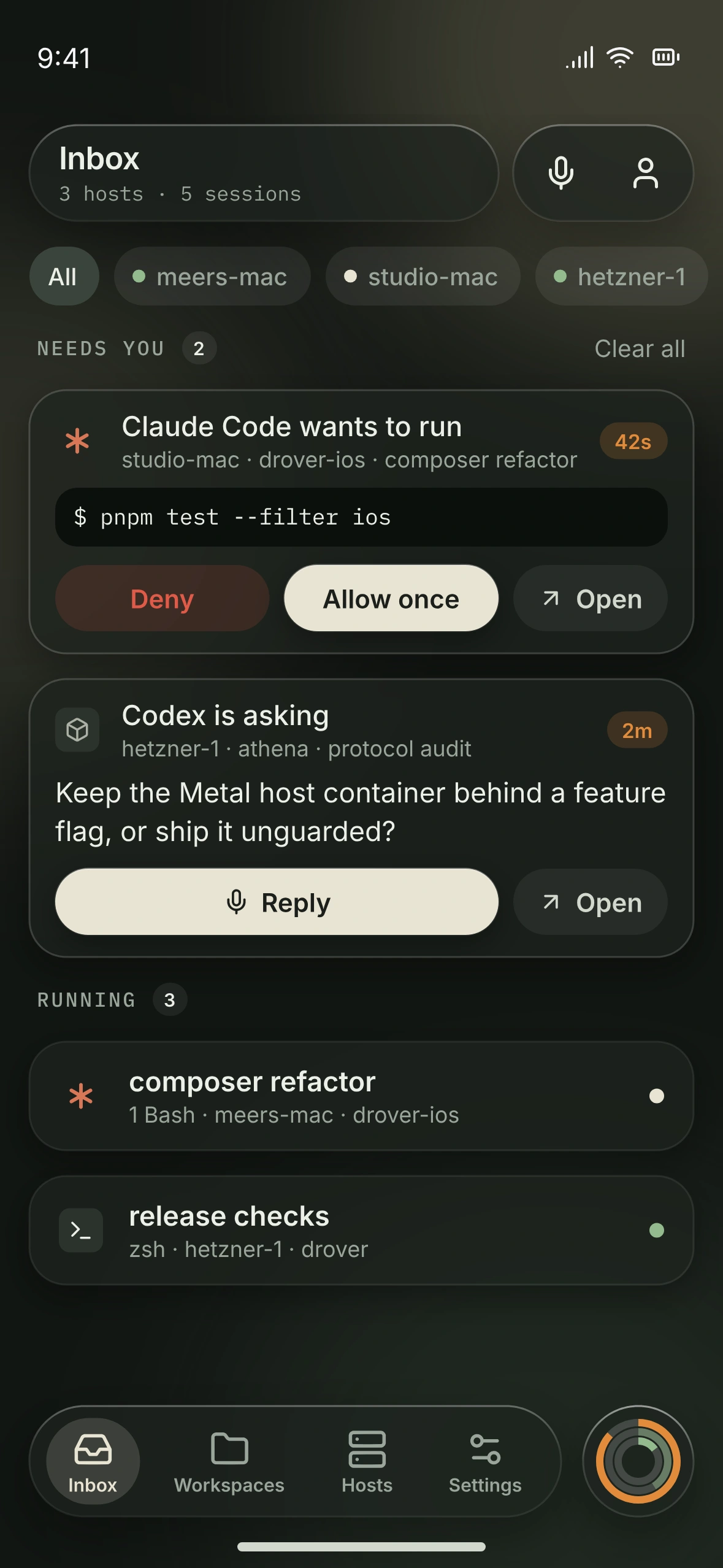
A Claude Code, Codex, or OpenCode permission request rises to the top as its own card: Deny · Allow once · Open, with its host, workspace, and pane named. The card previews the plan, command, or file diff it is asking to run before you tap. Nothing auto-approves, and a notification only opens the pane.
When an agent stops to ask, the card carries the question as the agent wrote it. Read it where you are, then step into the pane to answer.
Running work stays below, quiet until it changes. Filter by host when one machine is the one you care about, or jump straight to any pane by name with the Jump palette.
Each device picks a preferred interface. Agent panes open in it; shell panes always open in Terminal, which stays the source of truth.
Started in Codex and want Claude Code, or the reverse? Switch harness reopens the same conversation. Available
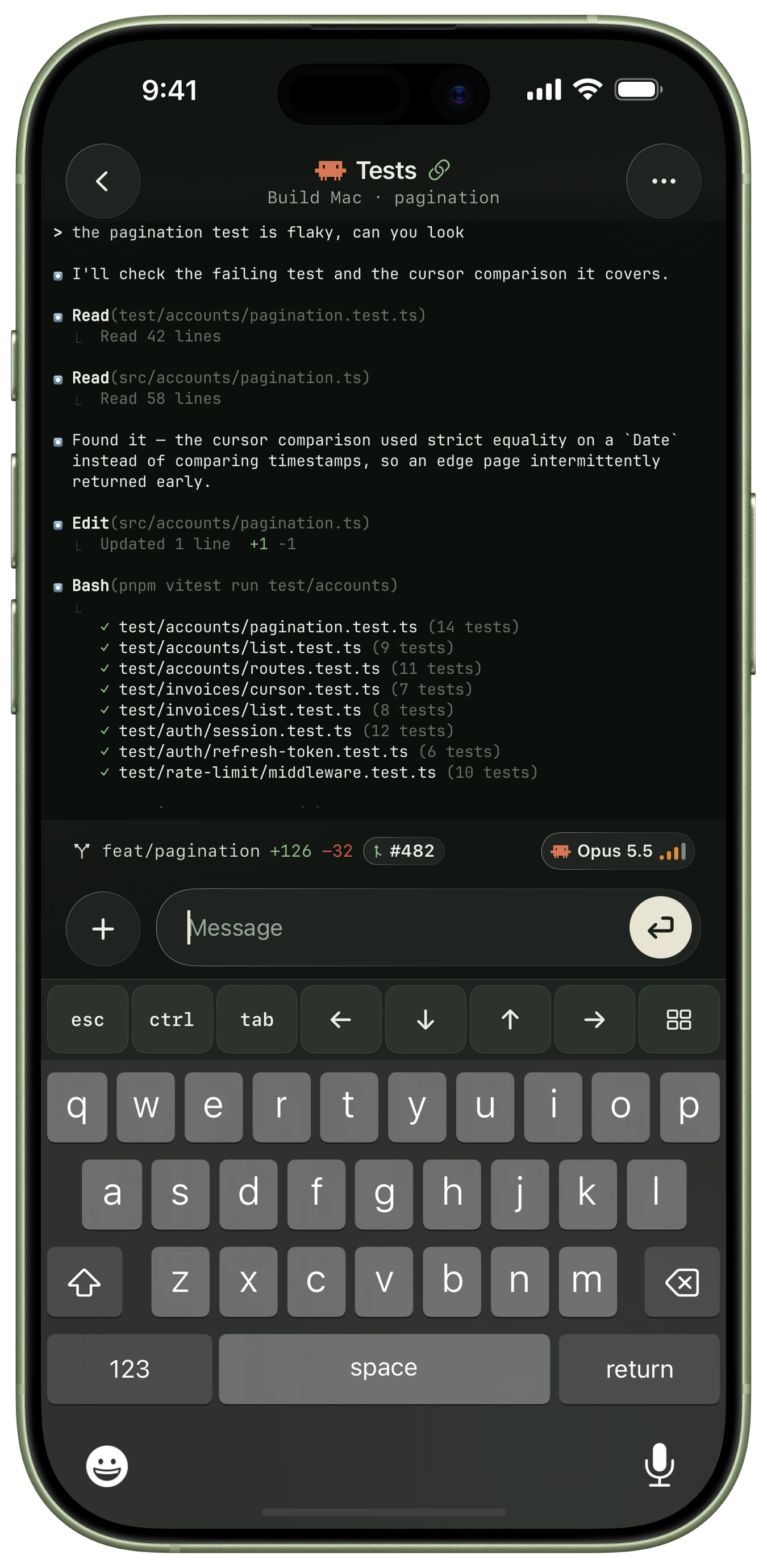
Your real terminal, with the context intact. Read the output, bring up the keyboard, and send the next input from your iPhone.
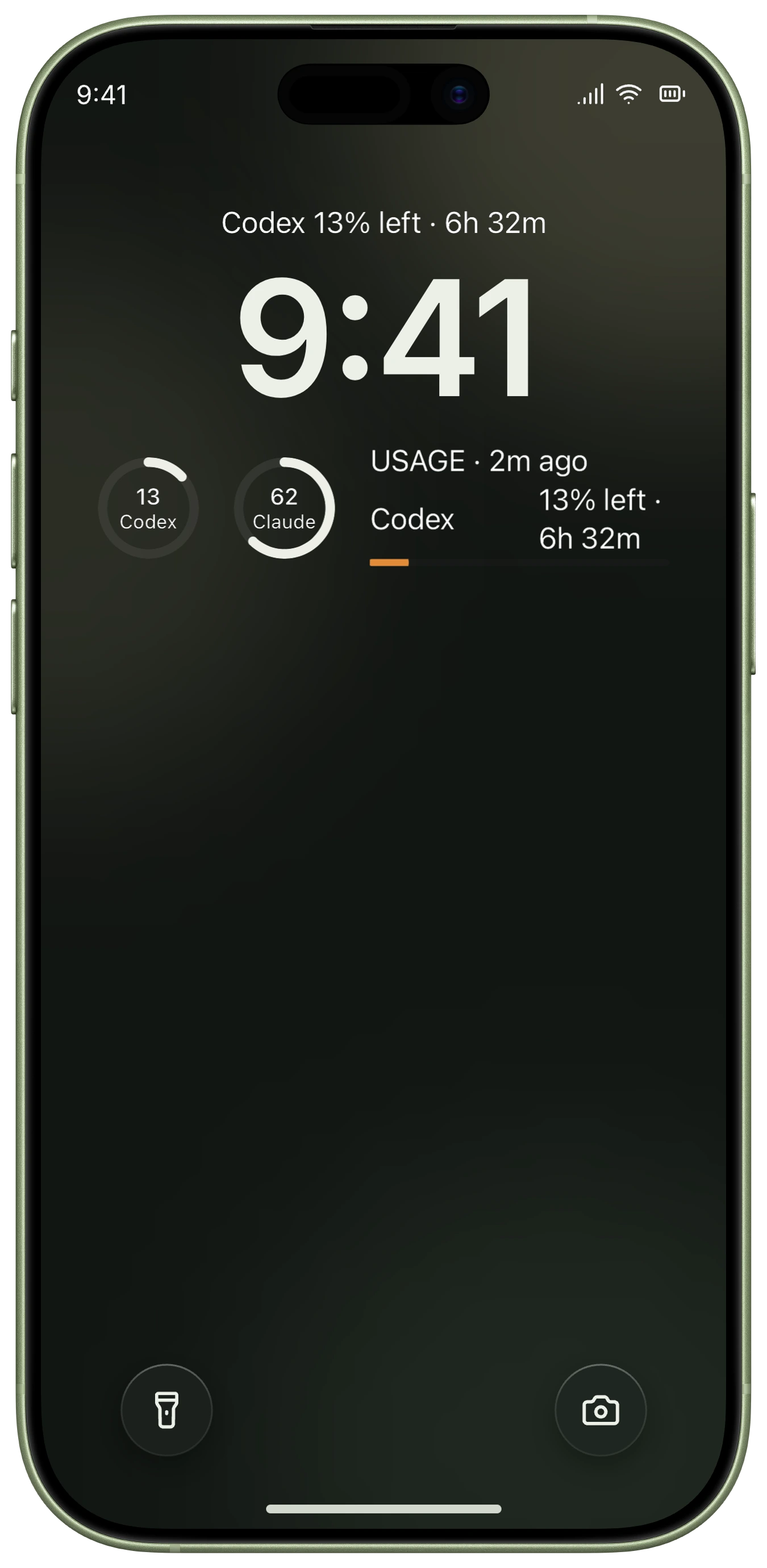
Most of the time you only need to know whether anything needs you. Drover answers at the smallest size that works — Lock Screen, menu bar, or Apple Watch — and the full session is one tap further. It reads usage across seven providers (Claude Code, Codex, OpenCode, Cursor, Antigravity, GLM/Z.ai, and Grok), free on any host, with an alert at 10% left and another at 0% for Drover Pro.
A notification tells you an agent is waiting and nothing more: no commands, no approvals from the Lock Screen.
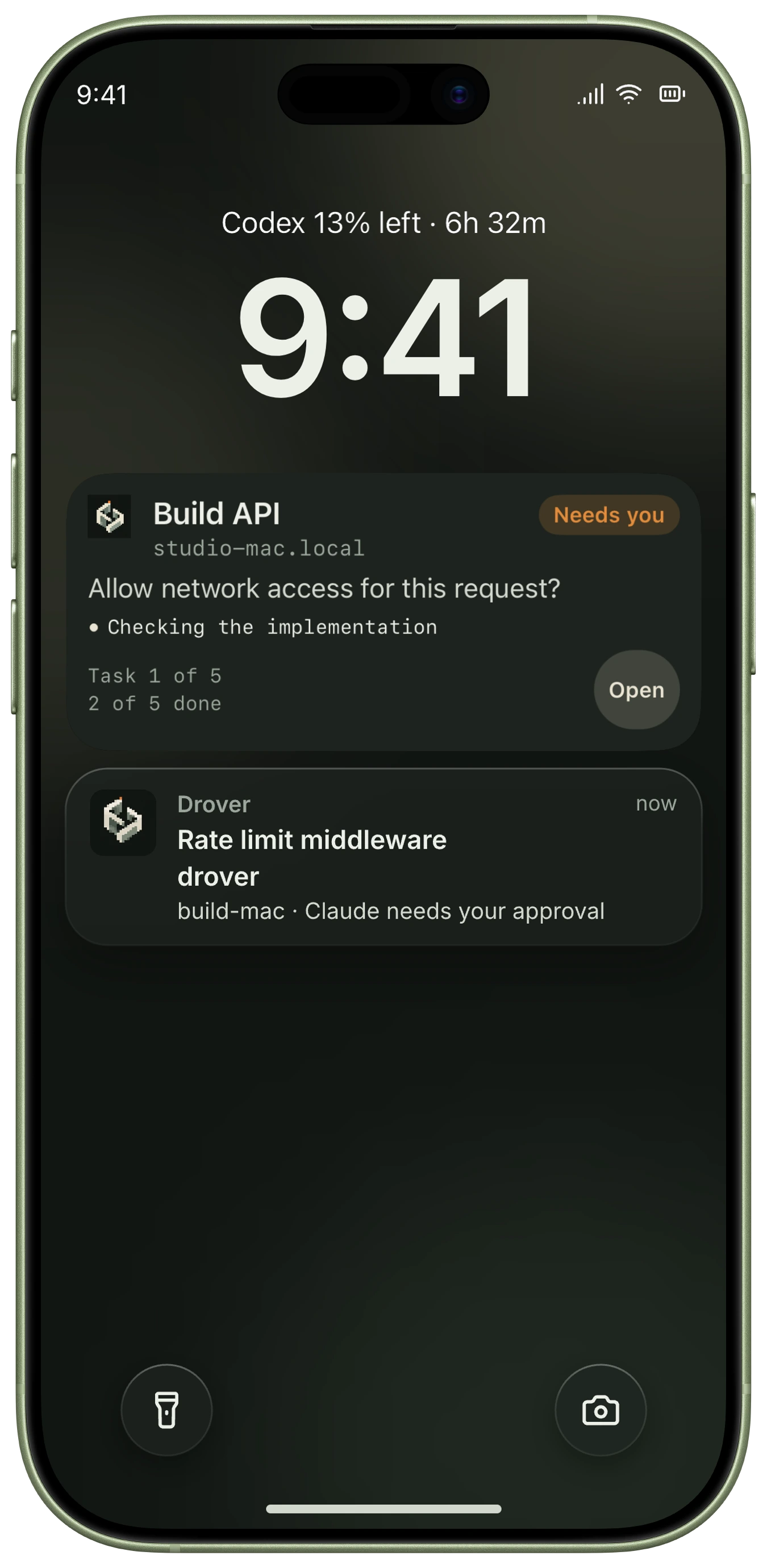
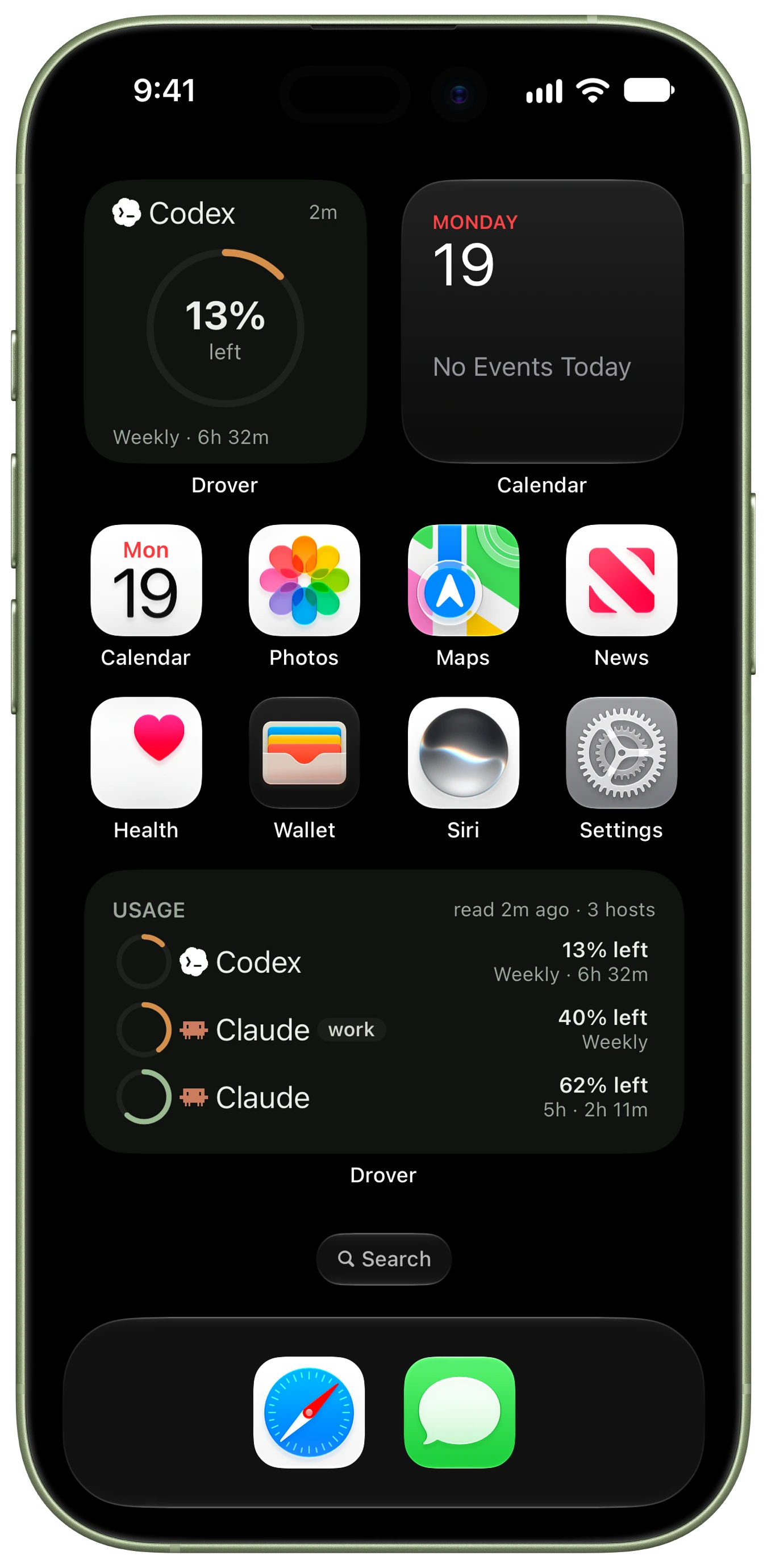
Drover for Mac keeps this Mac's logins, its paired iPhone, and the health of droverd one click away. Pairing is a QR code from the menu. No terminal needed.
The watch app shows every login's usage and, one tap in, each account's windows. Complications and the Smart Stack put it on the watch face too. It never sends input to a pane.
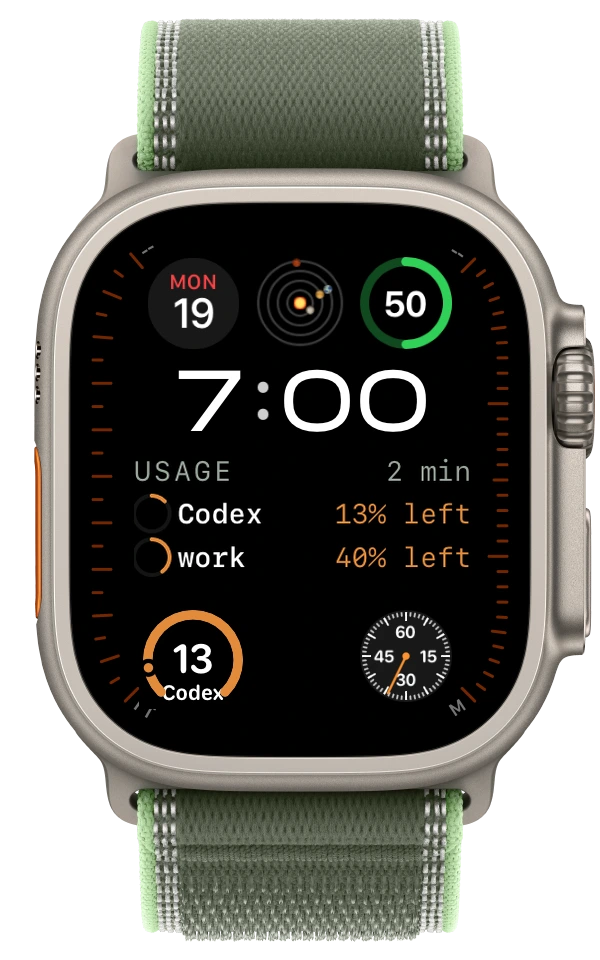
Your usage beside the time, right on the watch face. Part of Drover Pro.
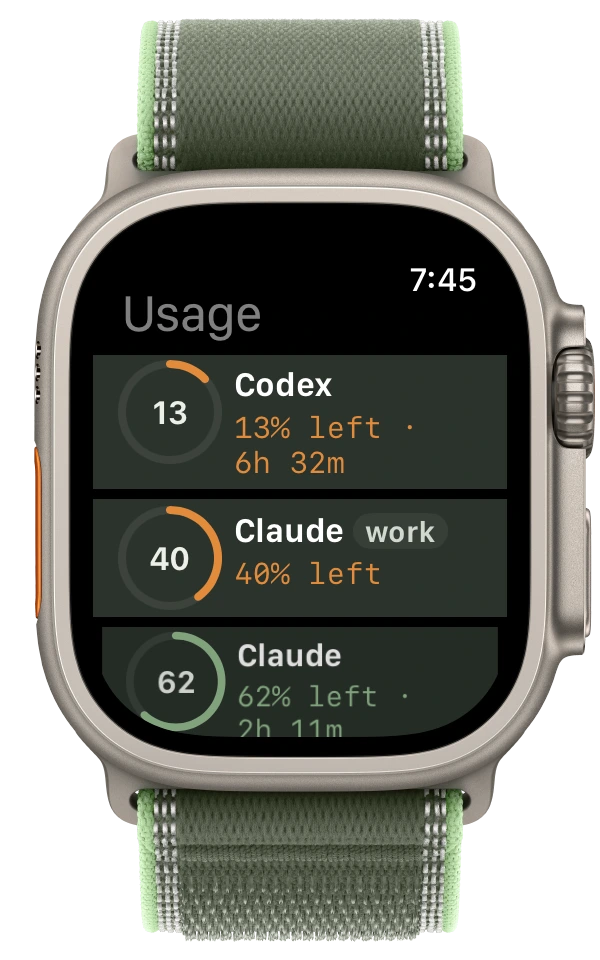
Every login's usage, right on the wrist. Part of Drover Pro.
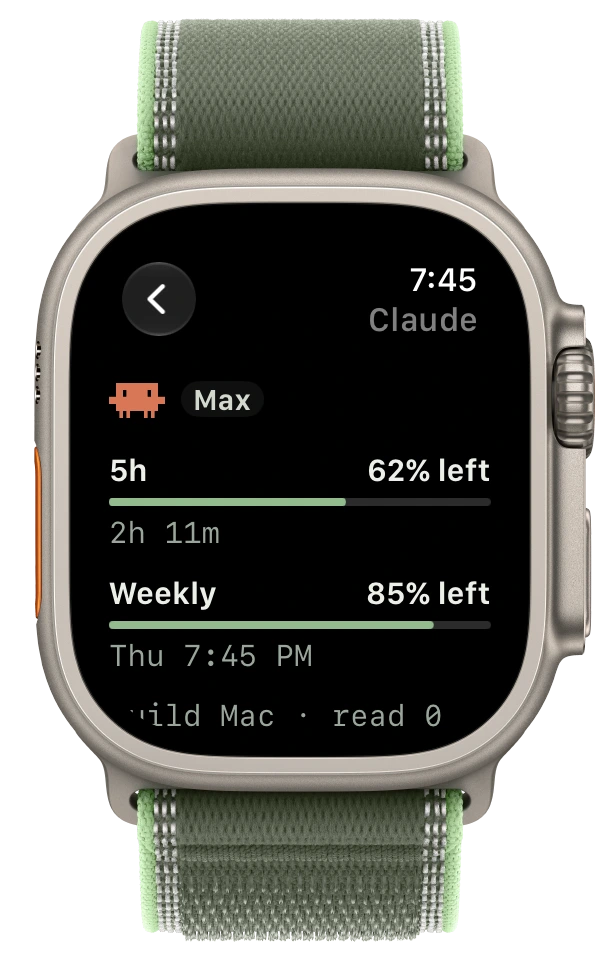
One account's windows, each with what's left. Part of Drover Pro.
 Any Herdr agent / shelllive terminal
Trademarks belong to their owners. Drover is not affiliated with Anthropic, OpenAI, Google, or the OpenCode and pi projects.
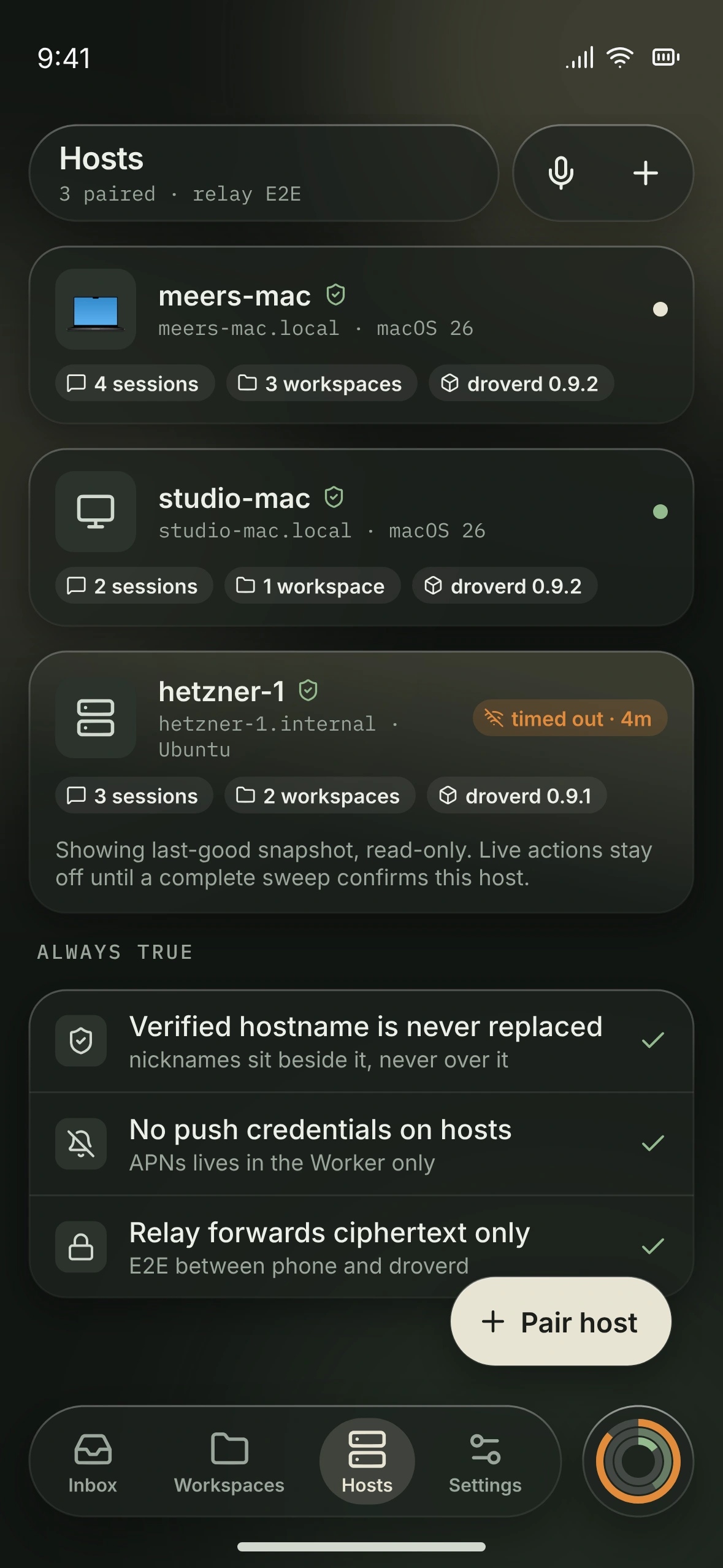
A Mac at your desk. A Linux host elsewhere. Find the right machine, see its connection state, and step into the work.
Herdr owns the runtime; droverd is only its client. Drover brings that structure to your iPhone, never a copy of the runtime itself.
Explore how Drover worksYour iPhone reaches droverd directly on your LAN, or through a relay that forwards ciphertext only. droverd is a client of your own Herdr server, which owns everything below.
droverd connects your iPhone to your own Herdr server.
The host companion, droverd, runs beside Herdr on your Mac or Linux machine and connects it to your iPhone. Pairing needs nothing extra: nothing to sign into, nothing to open inbound.
A menu bar app with droverd bundled. Signed and notarized, and it updates itself with one click from the menu.
Requires a Mac with Apple silicon and macOS 15 or later.
Get Drover for MacRuns as your user under systemd --user. One command installs it.
curl -fsSL https:/No subscription
Weekly, monthly or yearly in the App Store
No free trial.
Compare Free and ProThe same control as the iPhone app, with more room: every workspace in a sidebar, a tab's panes side by side in Herdr's own split, and what needs you in a rail beside them. The same approvals as on iPhone — you still tap.
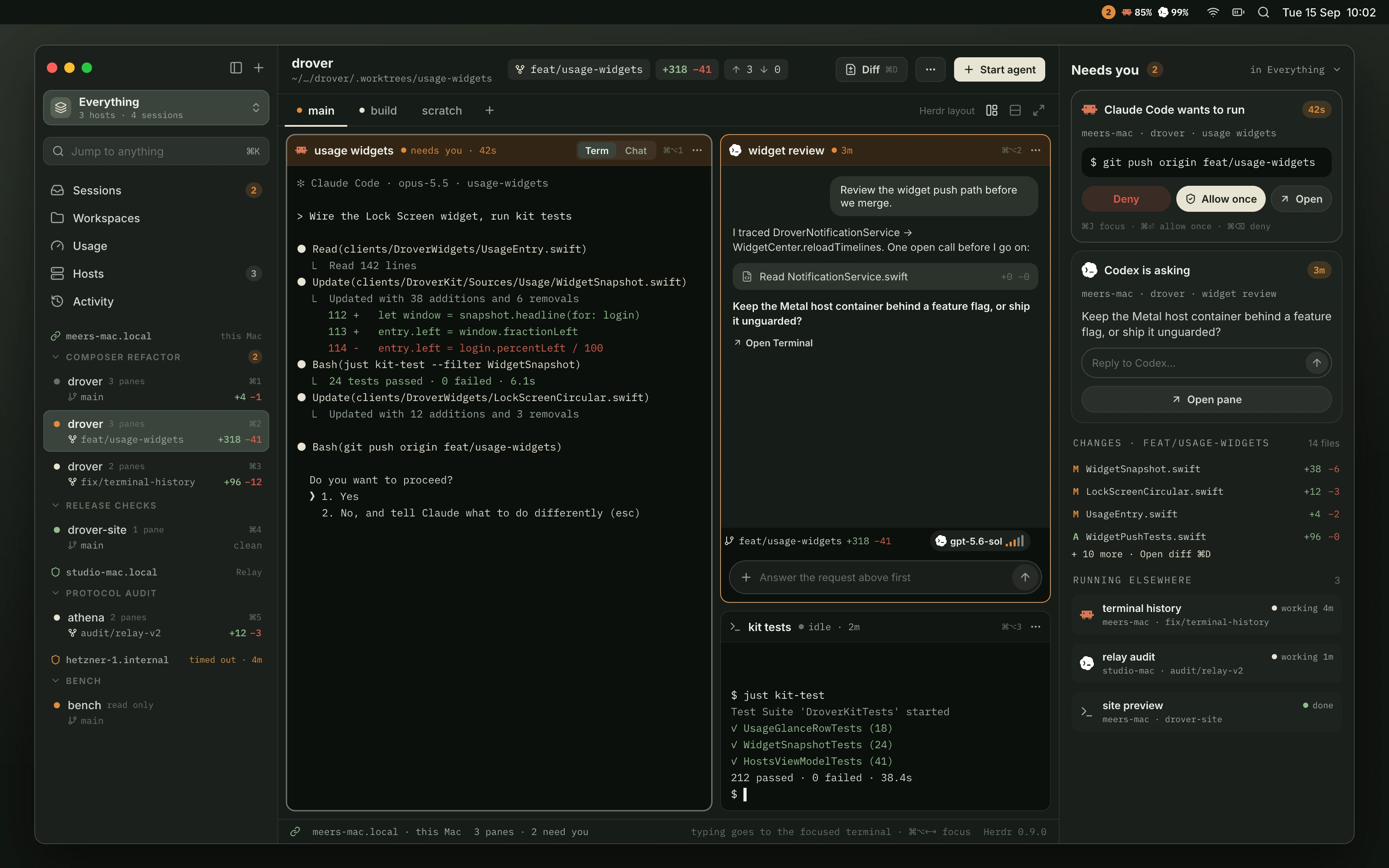
Drover for iPhone is in beta — join to get a TestFlight invite. Drover for Mac and droverd for Linux are available now.
In beta · iPhone with iOS 18 or later